




Features are shipping fast
It’s impossible to talk about feature launches without mentioning AI now. For product marketers, AI means keeping up with technical teams that ship faster than PMMs can reasonably launch (at least without losing quality).
While launches used to feel like big moments on the calendar, now PMMs are managing multiple releases and launches at once.
This leads to pitfalls like:
- Rushed launch messaging that can undermine your brand
- Friction with engineering/product teams that creates silos
- Overwhelming customers with content barrages and becoming ignorable
To keep launches impactful and feature adoption high, PMMs are prioritizing more ruthlessly, and more features are staying in the changelog.
The features that get prioritized and launched need strong positioning and a way to pair launch content with compelling assets that meet the user where they are. Written copy and screenshots don’t cut it anymore.
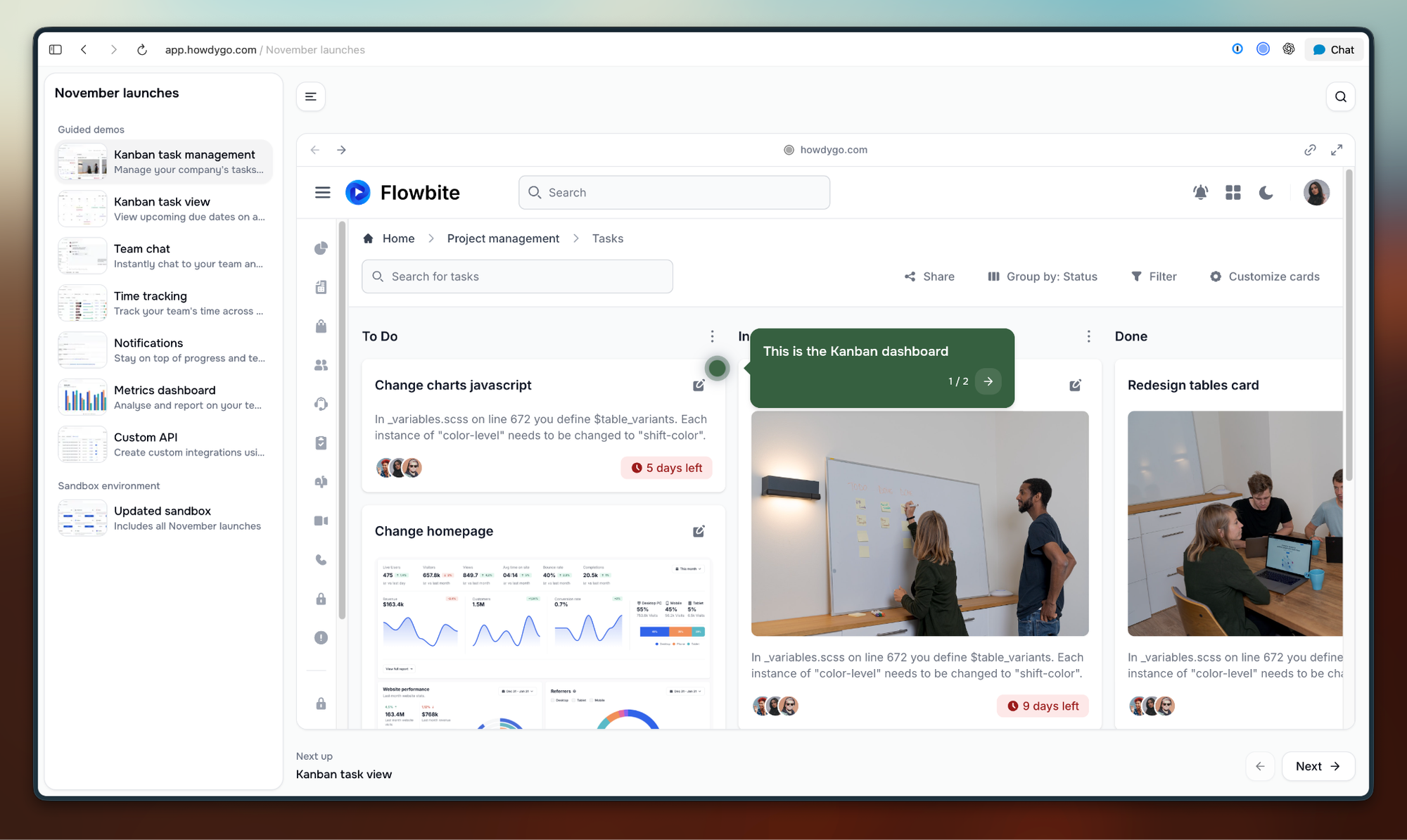
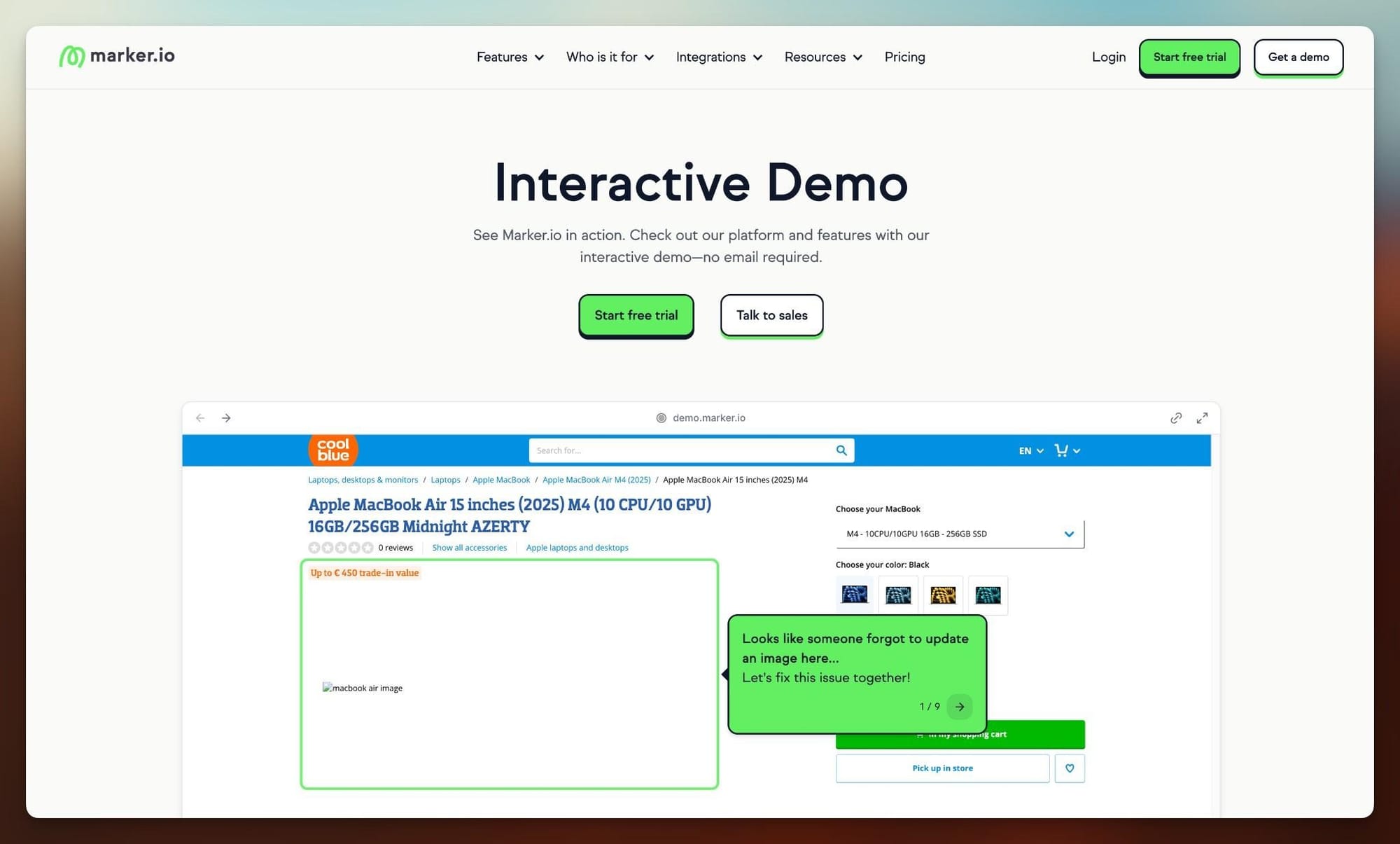
This often means things like videos, slide decks, interactive demos, and sandboxes. The last two are a really easy way to create compelling resources (and with AI and MCP you can create and repurpose them in minutes).
They add an interactive element to the launch toolkit and let you show, not tell, getting features in front of the right users to explore at their own pace without needing to access your platform or even have access to the feature itself.
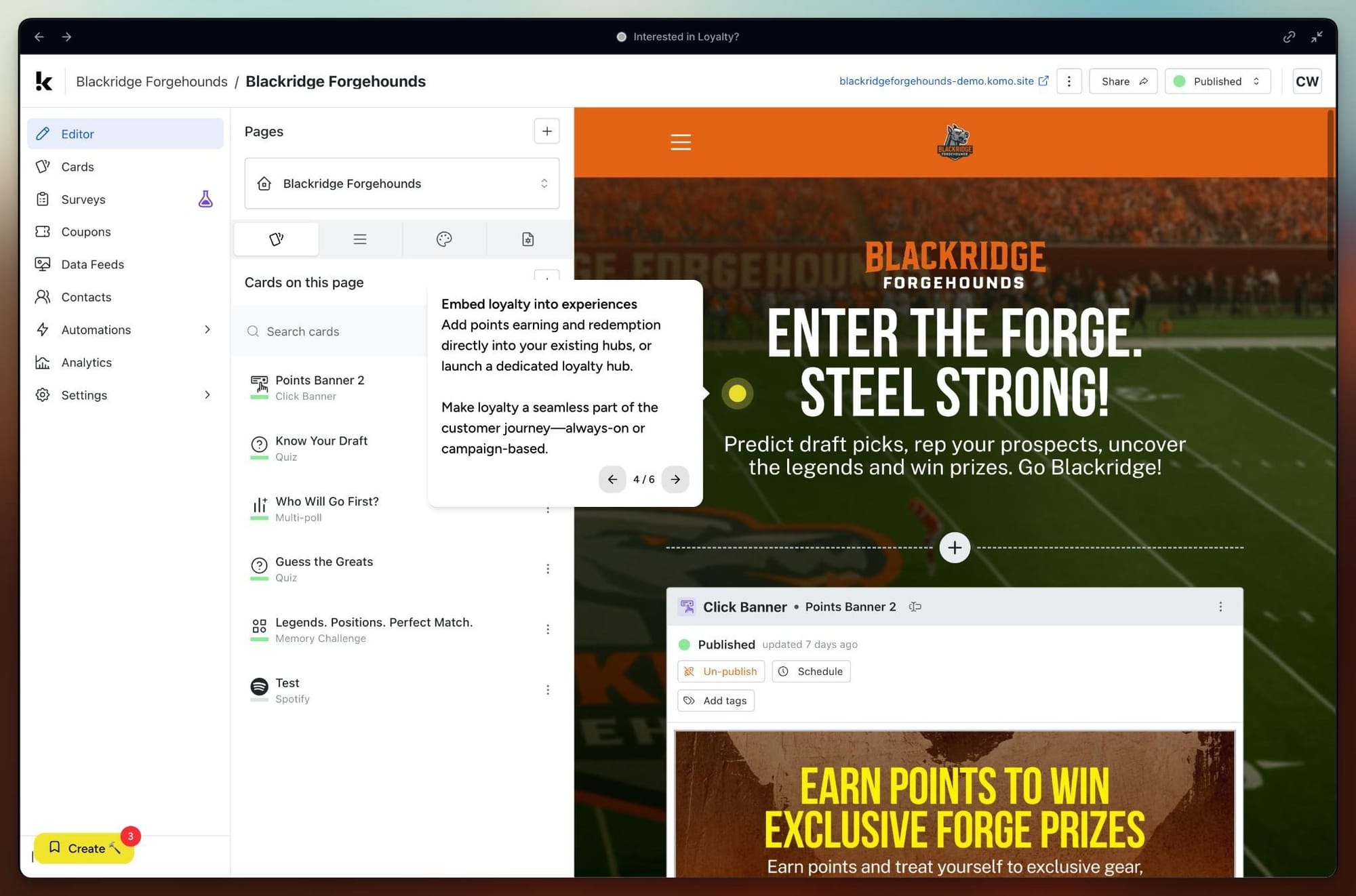
Step 1: Nail your launch positioning, nail your demo positioning
Features ship faster, so while prioritization has always been important, now it has to be more ruthless, and positioning comes in as a strong filter. As April Dunford puts it, customers care about what a feature does for them, not the feature itself. So before planning anything, answer two questions:
- What can this feature do for customers that they couldn't do before?
- Which part of your differentiated value does it prove?
If the value is clear, the positioning becomes the backbone of the launch (as it always has), and the positioning runs through all of the assets that go into the launch.
For example, say you're launching an AI chat feature. You figure out why customers would care about it (say, because it lets them tell AI to build something without having to start from scratch).
Build a brief interactive demo that shows what it’s like typing in the prompt and watching AI build for them in seconds. Customers can click through to the ‘aha’ moment and connect your launch messaging to what the feature actually does, without the friction of logging in and accessing it via the real product.
Step 2: Practical tips for building a solid launch demo
TL;DR – The best-performing demo simply gives the viewer what they came for in the shortest, clearest way. When applying that to product launches, here are four tips:
Start with the problem your demo solves
Before recording a demo, start with the single biggest thing you want the customer to understand about the feature. That gives you the demo's job and helps you get started.
Capture a straightforward workflow
Start capturing as close to the “aha” moment as possible, and skip redundant or complex steps like login, setup, and navigation.
Edit to tell the right story
Your demo capture will start with more screens than the story needs, so cut until only the core product moments are left. Then edit to position the demo for your ICP (you can also do things like anonymizing data here).
Write annotations like launch copy
More on this below, but keep the messaging consistent with your launch copy, and keep it as short and concise as possible.
Some writing tips and stats for demos
These are based on the HowdyGo interactive demo benchmark from 300,000+ public demo sessions:
- Keep the opening short. Tell viewers what they’re looking at and what they’ll learn, then get them clicking. Concise openings were associated with 9.3 percentage points higher engagement and 10.4 points higher completion.
- Use plain, click-oriented language. Something like “Click here to see X” beats clever copy. It was associated with 9.4 points higher engagement.
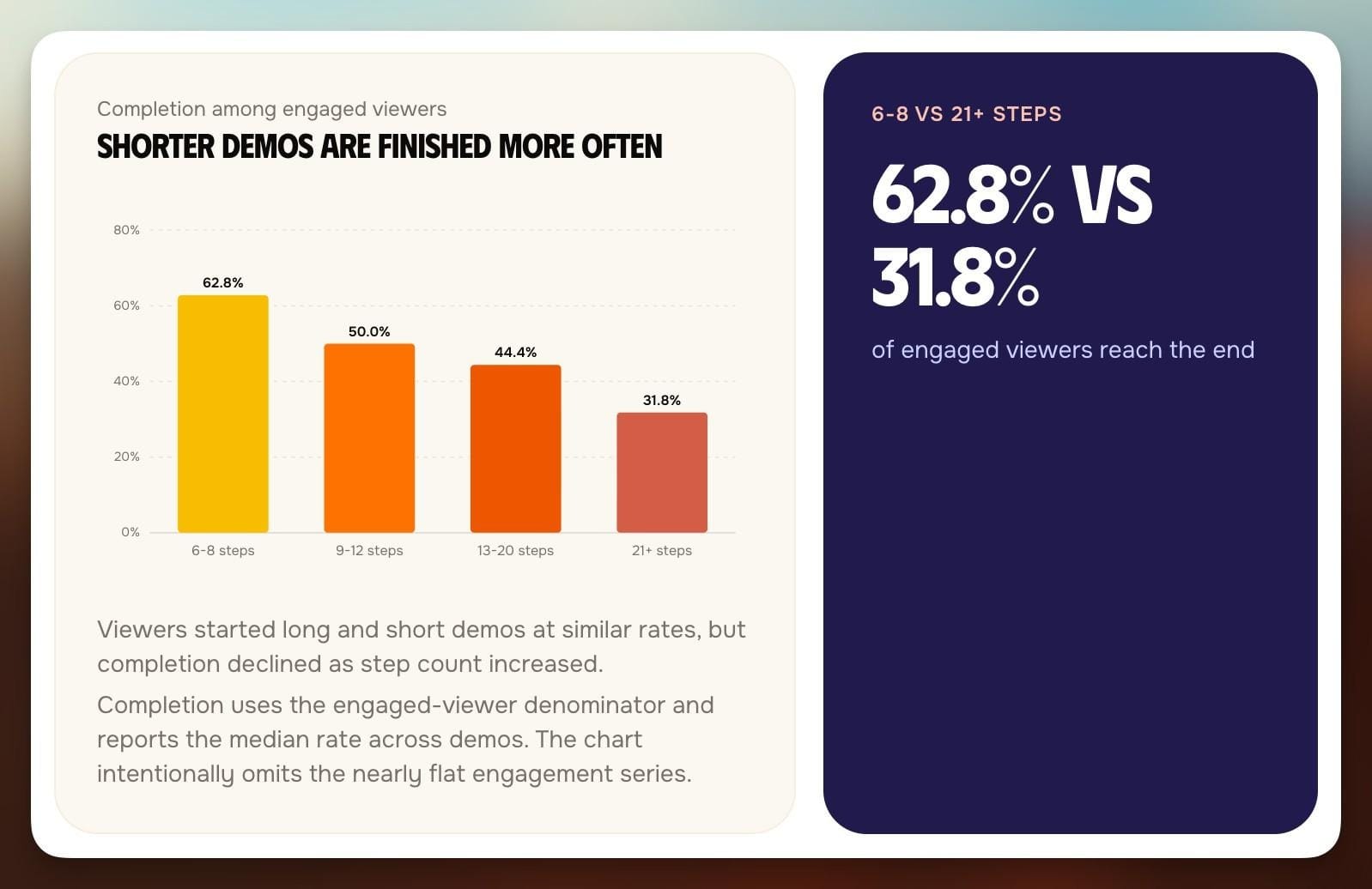
- Tell the story in as few screens as possible. Aim for 12 steps or fewer, and 6–8 if you can. Completion drops from 62.8% for 6–8 step demos to 31.8% for 21+ steps.
- Match the CTA to the commitment the viewer is ready to make. For example, an in-app popup for a gated feature might lead to an upgrade button.
A note on how AI can help you create (and repurpose) demos without starting from scratch:
If your interactive demo tool has an MCP (e.g., HowdyGo has both a built-in agent and an MCP), you can create assets on autopilot. You can pass it the entirety of your launch plan as context, so that the demo and copy are perfectly on brand.
That way, it can create an engaging interactive trial experience, a sandbox for the sales team to show the feature off to customers, and videos for social media. Basically, every multimedia asset you need is ready, just from creating a demo.
Step 3: Measure demos as part of feature launches
Start with the launch goals and north star metric, then look at the demo metrics. Aim for 3-5 metrics total, covering what the launch needs (e.g. feature adoption) and demo metrics.
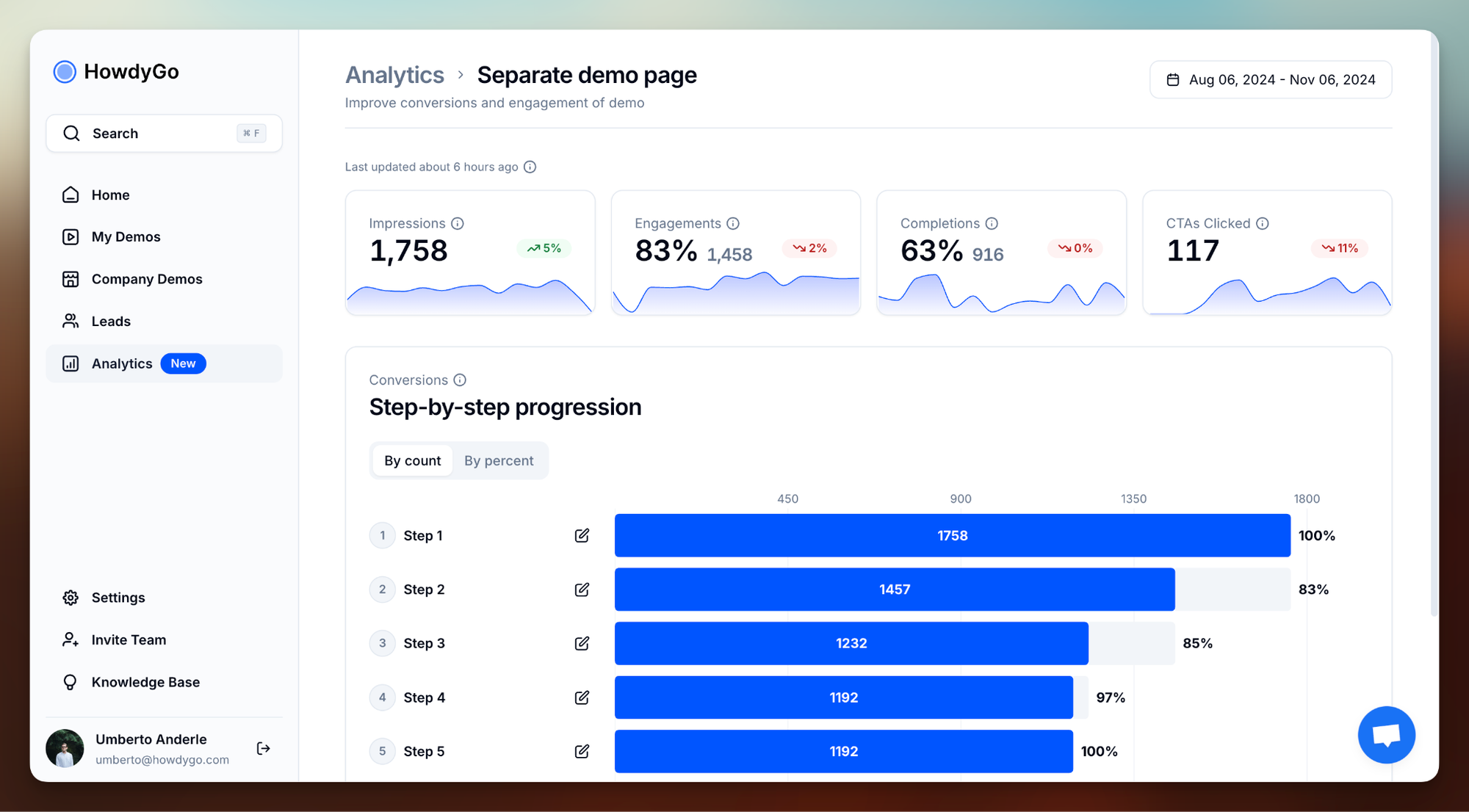
For the demo side of metrics tracking, these three are a good starting point:
- Engagement: are people starting the demo and clicking through? If not, look at things like the opening copy.
HowdyGo Benchmark: 65.5%
- Step drop-off: where do people leave? The first big drop is where your story breaks, so fix that step and the one before it.
- Completion: are people reaching the “aha” moment? HowdyGo benchmark: 50%
To tie demo metrics to feature metrics, you can compare demo viewers with non-viewers.
E.g. Look at whether feature activation is higher for demo viewers. This connects the demos directly to business impact.
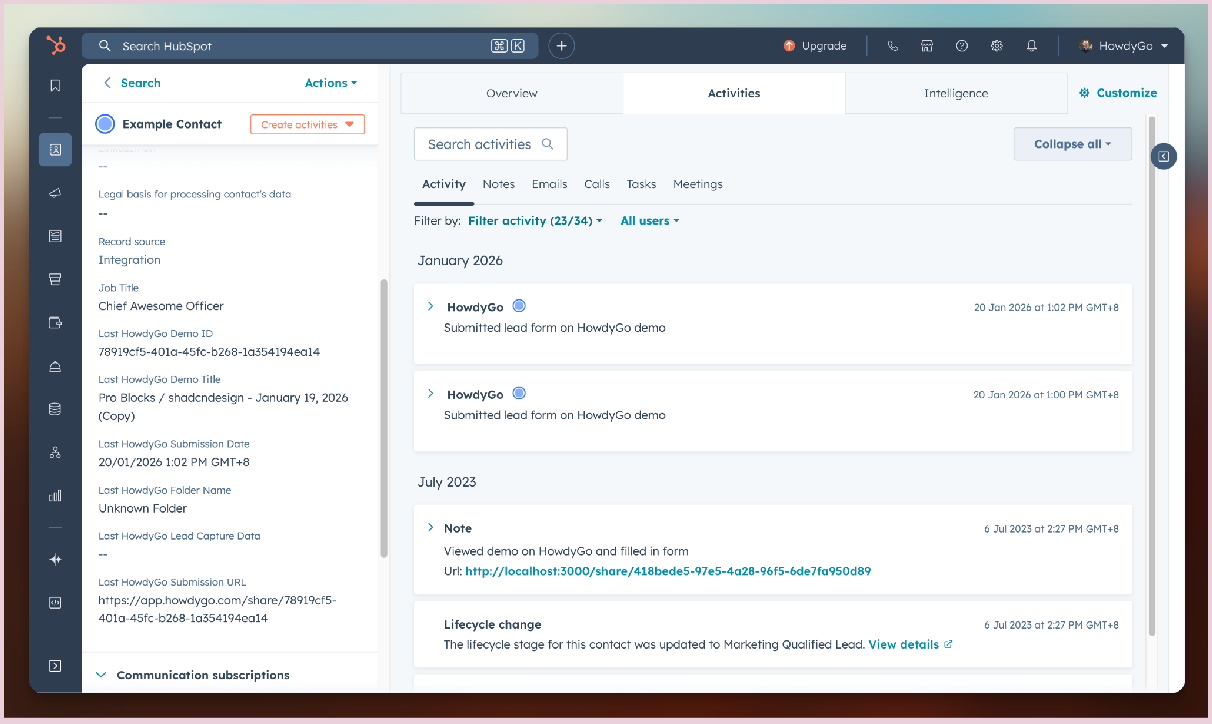
Tip: Connect demo data to your CRM and product analytics so that you have deeper visibility to how leads and customers are interacting with demos and can see what effect that’s having on core PMM goals.
Other ways demos can help
Interactive demos can help beyond feature launches. They can be a tool to increase conversion on websites (more teams are using them on homepages and as CTAs), they can act as assets in segmented campaigns, and they can be huge for sales enablement.
Demos are also very easy to repurpose. If you’ve set up a demo, don’t let it fall into the distribution wasteland. E.g. Say you capture a demo for a launch page, that can then be repurposed into:
- Release email GIFs
- Sales enablement for upsell conversations
- An in-app popup/onboarding help
- Personalized demos or demos that are adjusted for different personas
- Sandbox environments that the sales team can use for live demos


Product marketing insider
Thank you for subscribing
Level up your product marketing career & network with product marketing experts.
An email has been successfully sent to confirm your subscription.
 Follow us on LinkedIn



.svg)
Start the conversation
Become a member of Product Marketing Alliance to start commenting.
Sign up now